VirtualOT

My photo
Australia
I am an Australian occupational therapist, educator and researcher. I have worked as an OT in mental health, vocational rehabilitation and a private surgical hospital. I am passionate using online technology to enhance the knowledge and growth of the occupational therapy profession. In my PhD research I am looking at the role of online technologies in information management and knowledge transfer in occupational therapy. Views expressed and stories shared on this blog are my opinion and do not represent views of my employer or professional registration body.

Friday, September 21, 2018

OT & Technology: Using the Wii with older adults

OT & Technology: Using the Wii with older adults
Jonathan is an OT doing some great work at the Glenrose rehabilitation facility in Edmonton Canada and is using the Nintendo Wii. Here's a link to an article from the Edmonton Journal about his work

Thursday, April 3, 2014

Technology features in the Northern Territory!

Tonight I found out from Brock via Twitter that the Northern Territory Division of OT Australia has decided that the theme for their State conference in August 2014 will be TechnOT!  That is FANTASTIC news!!!

After about 10 years chipping away at the edges of digital literacy in occupational therapy - along with so many virtual friends - it's fantastic to finally see this theme front & centre at a State conference, well done NT!

I am sitting here thinking about which aspect of my PhD or other work completed with colleagues and students should I propose in an abstract??

I'm also wondering which of my virtual OT colleagues might like to come to Australia in August and present with me?  So many of us have collaborated over the past decade - we are a virtual team who have shared this journey at so many points it would be so fun to share this conference together!  Contact me if you're keen!!

Here's my list of possible topics:
  • The IM-KT framework
  • A portrait of digital literacy in occupational therapy
  • Digital Literacy in Occupational Therapy - A way forward
  • The emergence of ePortfolios in OT education and practice
  • The use of Facebook with vulnerable populations
  • Using digital curation to overcome information overload
  • OT24Vx - the only OT conference you can attend in your PJs
  • How to run an "Online Journal Club"


Tuesday, July 16, 2013

Tablet Ultrasound System

Mobisante launches tablet ultrasound

Summary of article by Michael Bassett 24 April 2013 

I know this does not relate to occupational therapy, however this intrigued me as a health consumer and got me excited about how quickly technology is developing.  
Here is a summary of the article sent to my by Nikki Esplin.

Mobisante has launched a tablet-based version of its portable ultrasound system, MobiUS, complementing the smartphone version launched two years ago.
  • The tablet-based system is called the MobiUS TC1
  • Uses more powerful ultrasound probes
  • Uses a larger screen to review high-resolution ultrasound images
  • Can be used without immediate access to electrical power
  • Tablet’s battery life can provide up to 4.5 hours of continuous scanning


Applications listed by the original author include:
  • Trauma e.g. the ability to diagnose and treat hemorrhage and pneumothorax or screen for cardiac tamponade.
  • Routine screening, e.g. bladder volume, carotid intimal thickness, deep vein thrombosis or abdominal aortic aneurysm.
  • Musculoskeletal ultrasound e.g.ultrasound-guided joint directions or aspirations, and injury assessments.
  • Abdominal or pelvic pain
  • Obstetrics and gynecology e.g. including the assessment of the foetal lie and viability or monitoring of the uterus and ovaries during infertility treatements.
  • Ultrasound guided procedures such as anesthesia, intravenous placement, biopsies, drainag of abscesses, localization and removal of foreign bodies. 

Wednesday, May 8, 2013

MakerBot Industries - Making hands in a 3D printer!

We all love a good news story, well this one came to me via an student of mine here at the University of the Sunshine Coast (thanks Joanne), I had to share it via my blog as soon as I knew about it.

MakerBot Industries is the brain child of Richard Van As from Johannesburg in South Africa.

Richard had an accident in the workshop and his fingers were cut off but when he asked for help with creating a new hand that would help return to being a tradesman he was told it was not possible.

Richard didn't take no for an answer and was determined to use his hands fully so he started his own research and connected with very helpful people (such as Ivan Owen, who has a background in mechanical special effects).  Richard and Ivan started the design process from across the globe, and each had a 3D printer to create the prosthesis, critiquing it and tweaking it along the way.

The result was a hand that suited Richard's lifestyle and an idea that could help thousands of others - thus the Robohand was born!  Watch this video for the full story and see stories about several children who have also been helped by MakerBot Industries and the Robohand. 


This is a brilliant new way to make prostheics using 3D printing technology!

For more information check out their:
Facebook page: https://www.facebook.com/makerbot
Website: http://www.makerbot.com/
Twitter:@RobohandSA


Tuesday, April 30, 2013

Do you want to be inspired? The Incredible Power of a Single Pair Of Glasses


This story is directly from Huff Post TED Weekends

It all started with Date Night.

My wife and I received advice long ago that Date Night was the key to a successful marriage.

We had plans, but a friend came by and asked if we wanted to go to an art show instead.

That was the night I was introduced to Tempt.

When we got to the show there were posters and signs everywhere saying "TemptOne Benefit." There was a palpable buzz about the place. I kept hearing people talking about this Tempt. Even the art on the walls by incredibly famous artists had his name worked into them. After being there a while and hearing about this Tempt, I finally asked "So where is this guy anyway?" The answer was shocking. "He lives in a hospital. On life support. He's completely paralyzed. He has ALS."

Tempt in his hospital bed. Photo credit: Mick Ebeling via Huffington Post
Since that night, my life has never really been the same.

The EyeWriter has been a journey, and due to the nature of ALS it's a never-ending one. It started in 2008, and it continues on today.

I am often asked, "Why did you do it?" The first time I heard this question, I was caught off guard. I had never really thought about "why" I did it. I was always just focused on the "how" to get it done.
 
I boiled the HOW down to 3 things:

1. Singularity of focus.
We weren't trying to create the next big thing. We didn't have visions of revolutionizing the medical device industry. We wanted to help Tempt. One person. I think that had we gone in with visions of sugarplums and tried to help all people with ALS, we would have missed the mark of creating something that helped Tempt because we would have been so distracted. Singularity of focus kept us and keeps us on track.

2. Give it away.
Giving something away is a powerful thing, but I had no idea how powerful it really is. When we first created the EyeWriter in the living room of our house, it was decided that if we were going to make this thing to help Tempt draw again, then it had to be open source. Understanding the practice of open source within the software world did not prepare me for what this philosophy was capable of when applied outside of the world of programming. I can say, without a doubt, that the act of giving the EyeWriter away was one of the most important and powerful components of the project. We made a documentary about the EyeWriter journey called "Getting Up: The Tempt One Story." (We want this story shared so we are giving it away at gettingup-thedoc.com.)
The open-source design of the EyeWriter. Photo credit: Mick Ebeling via Huffington Post


3. Beautiful, limitless naivety.
After our documentary premiered in Park City, a group of computer programmers approached us to tell us how much they enjoyed the film. They told us that since seeing our film they had been discussing amongst themselves why they thought we had succeeded. Their consensus? "If you had any f***ing idea how hard it was to do what you did, there was no way you would have done it in the first place." They had discussed this idea amongst themselves and concluded that they should become more like us. "Clueless?" I asked. "Sort of... more like naive," they replied. Turns out, our naivety was the key to us tackling the EyeWriter with brave abandon. We didn't know that we weren't supposed to be able to do it. We didn't know that kind of thing doesn't really happen in 2.5 weeks. We didn't know what we didn't know. And because of that, the entire team just did it because no one ever contemplated or considered the concept of failure.

Now the WHY.
Since this project has been ongoing since 2008, I've had some time to think about the "why." Why I pushed so hard to make the EyeWriter for a person I didn't really know at first. Why it was so successful. Why it seems to touch people in such a powerful and meaningful way.

I did it for my brother. I did it for my dad. I did it for my sons. It's really that simple.

The day I met with Stephen and Ron, Tempt's brother and father, it was like looking in a mirror that somehow, luckily, had avoided me.

I am a father. I have sons. I have a brother. I could not imagine what it would be like to not be able to talk to them everyday and ask them what they were thinking or feeling. Basic communication was nearly impossible for Tempt. That struck me as wrong.

Why did I do it? Because I don't think anyone who has stared face to face with a reality like that can just walk away and say, "Good luck. I hope everything works out for you." You can't walk away from someone or something that hits that close to home. I had no idea how it was going to affect my life -- or more importantly -- how I was going to pull it off. But I knew I could not, in good conscience, just walk away. 

The words spoken through text by Tempt - Screen capture via TED
 Mick finishes his talk with two questions:
  1. If not now then when?  
  2. If not you then who?
Link to the TED Talk by Mick Ebeling

Link to the Not Impossible Foundation website

Sunday, April 28, 2013

The pros and cons of being a virtual presenter at conference

Artist: Gillian Crossley
Today I had the honour of being a virtual presenter at the American Occupational Therapy Association's annual national conference.  I have presented live at AOTA twice before and have enjoyed it very much but I have never presented "virtually".

I have mixed feelings about presenting online (yes - even VirtualOT would prefer to be face to face) but now that I live back in Australia and the academic calendar is not in line with the Canadian/US academic calendar both distance and work commitments meant that I needed to find an option to presenting live or I would have to withdraw from presenting altogether.

Never one to back down from a challenge I proposed to my co-presenters that I could "beam in" from Australia, both teams responded enthusiastically and we started to plan to overcome the tyranny of distance. I was part of a panel presentation titled "What's new in digital and social media for occupational therapy" with Karen Dobyns (aka @funkist), Chris Alterio (aka @ChrisAlterio), Erik Johnson (aka @ArmyOTGuy) and Cheryl Morris (aka @otnotes), and I was  also part of Tech Day in a workshop titled "Digital Curation in Occupational Therapy" with Susan Burwash (aka @SuBu_OT).  Being part of groups meant that I had people on the ground at the conference, so with their assistance I was able to be beamed in.

So how did we pull this off?  Well, a lot more planning goes into preparation for a presentation that is delivered from a remote location.  For starters, we have to assume that technology will fail and we will need a backup plan, ie: the presentation needs to be pre-recorded and uploaded to YouTube or Vimeo to be played in lieu of a live presentation.  In order to be ready with a recording this meant that we needed to have broken down the panel topics and worked on our own sections well ahead of the date of the conference.  Both Cheryl and I were in this position, Cheryl's reason was that she was about to become a mum and her due date was during the time of the conference!

Digital technology played an important role in the planning and delivery of both presentations.  We met online using Blackboard Collaborate or Skype, we kept our meeting notes in Google Docs, we created our presentation collaboratively using PowerPoint, then Cheryl and I translated these via movie making programs to narrated videos that were then uploaded to YouTube.
Bill Wong records the session and tweets simultaneously
On the day the technology didn't all work and our plan B had to become the Plan A for the panel presentation.  I could see into the room via the webcam on Erik Johnson's laptop, but the sound quality was poor and there was a nasty feedback loop occurring on the laptop.  That was when we simply decided to play the YouTube clip rather than have me speak live.  The absolute winning tech hack of the day was Susan Burwash's suggestion to use Skype from her iPhone to me sitting on my computer.  It was perfect!  I could watch who was presenting via the webcam, hear what was being presented via Susan's phone and I was able to watch twitter and contribute throughout the whole 1.5 hours!  It was amazing!
Chris Alterio delivering his part of the presentation
Erik demonstrates how to use SoMe during a presentation


My view of Karen Dobyns as she presents

Michael Iwama talks about using digital technologies


Karen wrapped up the presentation and then asked the audience for questions, discussion points and so on.  There were some excellent points raised, another "shout out" about OT24Vx and then Michael Iwama (aka @Michael_Iwama) was asked to speak about his use of a broad range of digital media in relation to his development of the Kawa Model.  Michael talked about his use of dicussion forums, Facebook and now Twitter to connect with people about the Kawa Model and occupational therapy in general.

Susan Burwash and Gillian Crossley at Tech Day
In the Tech Day presentation additional social media tools such as Learnist, Storify, Scoopit, Pinterest and PaperLi were going to be featured, therefore Susan focused attention on building the presentation within these resources and created a beautiful and informative Learnist called Digital Curation in Occupational Therapy which captured the concept of digital curation beautifully. 

In the lead up to the conference Susan and I discussed having more support on the ground and as our virtual friend Gillian Crossley was going to be at #aota13 Susan asked her to come and support her during the Tech Day presentation.  She provided excellent support and enthused those present to give SoMe a try!  In the background two more virtual friends supported the presentation; Brock Cook (aka @keeper85) made himself available online to curate his MH4OT Learnist board during the presentation and Helen Rushton (aka HelenOTUK) prepared a blog post about using various tools for digital curation.  While Susan presented in San Diego with Gillian's support I created a new PaperLi called Highlights from #AOTA13 and Brock approved new content for his MH4OT Learnist.


So, after today's amazingly positive experience would I say there are any drawbacks to presenting virtually?  Absolutely!  For those of you with conference experience you will appreciate the contrast.  At conference I enjoy having the opportunity to see the audience, I can respond to the body language of those in the room and I'm not ashamed to say that I enjoy basking in the afterglow of a job (hopefully) well done.  Sometimes there are "high fives" and people give words of congratulations.  I always leave the room feeling more accomplished than when I went in.

In contrast, today, as a virtual presenter when I finished the presentation the computer program used to connect me to the presentation room was turned off.  I sat alone, with my computer, in silence.  Completely disconnected from the conference, the attendees, the atmosphere, the engagement.  It is like literally pulling the plug or turning off a switch; you're on then you're off! 

So is it worth it?  I would say yes.  It's better to have presented virtually than not at all, it's great to showcase the possibilities of digital technologies and I believe that this is an important component of conferences of the future.  Not only does it make it easier for me as a presenter, this is truly a more sustainable option for the world - I did not catch a plane to the USA for this conference!

In summary; what are the pros and cons of virtual presentations?

Pros
  1. Saves time and money (travel, accommodation, time off work etc)
  2. Ecologically more sustainable (no planes, hotels and eating out)
  3. People who might otherwise not be able to present can be given a virtual microphone (think - lower income)
  4. It exemplifies how digital media can be used in knowledge transfer activities in occupational therapy (if we demonstrate it they will see the potential)

Cons
  1. The feeling of isolation when the presentation is finished
  2. It is more work leading up to the conference as multiple levels of organisation are required
  3. You don't get to go to the pub with your friends afterwards
I can live with these cons! I've just debriefed here, so it's not all bad!

And don't let me forget to mention that Cheryl had a baby boy!  Congratulations Cheryl.

Sunday, March 3, 2013

Embedding Twitter into teaching activities.

The new academic year has started and as usual I am embedding technology in my teaching.  This semester I am going to be more consciously using Twitter to post information to my current students rather than using Twitter to connect with my online colleagues.

I am doing this because it is time to start applying what I have been discovering through my PhD research, which is that many OTs are using online technologies but many do not yet use technology well for information management and knowledge transfer activities. 

I have added a new hashtag to my frequently used list. It is the course code #OCC311 of the course that I am teaching this semester at the University of the Sunshine Coast. This course is titled Enabling Occupation: The adult. The focus is on understanding and critically anaylsing occupational therapy approaches.

I would really appreciate input by the online OT community to demonstrate to students the power of social media in information management and knowledge transfer.

Wednesday, October 17, 2012

Let's Celebrate World OT Day

About a week ago I posted this on the OT4OT page in Facebook.  I have decided to use this as a launching place for my reflection for this year’s World OT Day blogging carnival being run by Linda Harrison in Winnipeg Manitoba.  Thanks for running this again Linda J.

Here’s what I wrote: Tonight I couldn't sleep because I had lots running through my mind. One of the various threads was this one:  About 5 years ago I was scared that our profession was about to miss the tidal wave of change that was about to occur with the advent of Web2.0. (interactive online technologies).  I hoped that OTs would learn to 'surf' the tide of change (I visualized us riding Malibu boards). 

I recently had a new visual, one of the biblical story of Noah's Ark, I realized that rather than riding Malibu boards we had in fact built a virtual Noah's ark and OTs from around the globe had built it together!!  I think this Ark has been an amazing Sanctuary for the early adopters of online technologies in our profession, and we continue to welcome others on board, the Ark grows as each occupant joins us! It's growth has been exponential.  This Ark has recently grown to the size that meant our professional associations have begun to recognize our knowledge and skills and are asking for our help so they can be part of the tide of change.
OT4OT, the various 4OT groups in FB, the #OTalk & #Occhat group in Twitter, the ATeam at AOTA conference, and of course OT24Vx have been game changers! I am so proud of everything we have achieved so far! Lets keep going!  Those on the Ark need to continue to grow, develop and stay abreast of the constant change. That way we keep the Ark growing and moving forwards. It's time for us to let our employers and our communities know that digital technology is part of everyday life, it's necessary for so many occupations. It is an essential tool for practice.
The response to my middle of the night musings was incredible.  My OT4OT colleagues joined in by reflecting on their individual and now shared journeys in the world of digital technology.
 
Merrolee wrote: “…being one of the first floaters who had to connect with the other OT4OT guys before we could really get the ark underway - my dream was that this was what social medial would be able to achieve for our profession. I watched how teachers of kids were using the tools for their professional development and kept thinking that this was the solution for our profession and for the professional isolation that many of us can feel! Whats stunning for us (if I can speak for my OT4OT buddies) is that the swell is here... we've reached critical mass and the spinoffs that are now occuring is amazing.. (in fact we are now having to paddle really fast to keep up ourselves!)... but I'm sure we have more advances/ideas in the wings... when we have time to catch our breath!
 
Susan wrote: “Merrolee - like you I'd been bobbing at sea for a while. I had been the "Web Goddess" in the early days of the web and had traveled far and wide to share what I knew then. Taking a break from OT I had (mostly) great experiences being a member of various online artisan communities of practice. It was us all coming together and building the ark that got me as excited about technology and OT as I had been in the Web 1.0 days. And all these fellow travelers in the armada - wow!!”
 
Others reflected on the changes they were experiencing now that they are connected to a group of occupational therapists via the online world.  It is clear that digital technology is having a profound impact on OTs, as it is helping OTs to feel connected with each other and with the profession - it helps us to belong. 
 
Rob wrote:Working as a sole practitioner in an emerging practice area, I have found being a part of the 4OT movement as has been one of the main ways I have stayed connected. My work didn't really fit into one or two 'traditional' CPD groups to learn and share. So, I really thank you for making knowledge learning and sharing accessible, relevant and cutting edge.”  (Can I mention here that Rob was the person who encouraged ME to go on Facebook and MySpace!)
 
Allison wrote: “MH4OT and OT4OT are really the only reasons why I still go on fb. Otalk and Occhat have become my favorite tools for ongoing professional dialogue and community. The camaraderie I have found in these forums has been incredibly inspiring after having struggled with profound professional isolation through two decades of practice. Anita, much as I am challenged by sea travel, with you and your amazing international team of visionaries at the helm, my bags are packed and I've book a one-way ticket on the great interconnected occupational narrative you have helped me construct to add depth and passion to my practice that I had not felt possible previously. Keep up the great work. You give us all something to cheer”.

and Allison then added in a further post:
“I embraced this vision in my teaching as well, creating a Facebook page for the student OT group at my school 3 years ago for the marketing unit in my management course, as well as a Twitter account. Students take turns promoting the program and OT through these venues and it provokes a lot of interest in an area of instruction that had formerly been a real snooze-fest. I have gone on to create twitter assignments for student participation in twitter # chats concerning an array of mental health topics, and see unlimited teaching potential in this medium. I appreciate the inspiration and leadership from the originators of the OT4OT and only hope to contribute what I can to move OT into the next centennial as the vibrant, innovative, holistic approach to healing that we all know it to be.”
 
To top it off Gillian Crossley created a caricature drawing of the OT4OT Ark!  I believe that being represented as a caricature is the ultimate compliment, so thank you Gillian for giving us that gift.
 
So, where have we come from and where are we heading as a digitally literate profession?  Well that is the topic of my PhD and I am about to complete my thesis and publish some papers about this very topic.  Let me just say that in the parts of the world that I surveyed, OT has embraced digital technology well and watching the rapid development of skills recently I can see that we are in good hands when it comes to leadership and teamwork in the digital world.  But we are not there yet and we need to be  persistent and strategic to move forwards. 
 
Happy World OT Day!

Thursday, August 16, 2012

Stand and deliver at work

This post isn't about technology - but it is related because it is a story that is about tackling the sedentary work lifestyle created by technology.

Banker Martin Whelan is a man without a desk.  Instead of starting each day at a workstation armed with a computer, swivel chair and some fond family photos, the 44-year-old executive places his bag and overcoat in a locker, turns on his laptop and heads off to a 'workspace'.

Some days he stands at a high desk and clears his emails, on others he lounges on a comfy couch near the in-house cafe, and sometimes he heads for a communal table.  Whelan, who is general manager of consumer marketing at the Commonwealth Bank, said moving around throughout the workday improved his efficiency and provided "a lot more flexibility".

But it may also help him to live longer, based on the findings of a recent study from the University of Sydney that found people who sat for eight to 11 hours a day increased their risk of dying by 15 per cent.  A Dutch company, Veldhoen & Co, is building a worldwide business around a concept known as activity based working. The company's Sydney-based managing partner Luc Kamperman said between 80 and 100 companies in Europe and Australia had changed their workspaces to stop staff being chained to a desk with a personal computer.

Macquarie Bank was the first (in 2008) and the Commonwealth Bank introduced activity based working at its headquarters in Sydney's Darling Harbour almost a year ago.  Staff such as Martin Whelan are encouraged to work in different sections of the office, depending on their tasks, and about 10 per cent of desks in each office 'home zone' are standing work stations in which the desks are set at chest height. 

“Some people like going and sitting at a desk that is their own space. I'm lucky I'm not one of those… you need to be more organised and have a more flexible attitude,” he said.
Jennifer Saiz, head of property at the Commonwealth Bank, said the more active work environment had already delivered tangible benefits.  “We surveyed our staff and found, on average people were sitting down just 50 per cent of the time they were at work,” she says. “We thought, 'How can we get people to work better with each other and do to their work more effectively, in a healthier way?'.
“In surveys over the past year since we started it, staff report they are more productive and more engaged thanks to the activity based working.”

Interest from Australian companies means Veldhoen & Co's Kamperman has settled in Australia to meet the demand. He is now working with Bankwest in Perth and Price Waterhouse Coopers in Canberra and Perth.  “The biggest hurdle is the shift in mindset,” Kamperman said. “I get thrilled in my job when . . . you feel like people finally get it, that they have seen the light. They start to acknowledge that they have to change themselves and how they think about work.”
Academic Catriona Bonfiglioli doesn't have the luxury of working in a modern bank building, but is keenly aware of our over reliance on chairs. 

A senior lecturer in Media Studies at the University of Technology, Bonfiglioli has set up her computer on the top of a filing cabinet and does her best to stand up for close to half the hours she spends at work.  “I wanted to break the nexus between the computer and chair,” she said. “People can be sitting 15 hours a day when you add up time at work, time commuting, eating and watching TV or reading.  “I have reduced my sedentary time… I do my emails, admin and editing standing up but for creative work I tend to sit down. People need to rethink their whole relationship with their computer and stop assuming if they are using a computer they have to sit down.”

Bonfiglioli's interest was spurred by studies that showed that inactivity was damaging to health and even a cause of premature death.  An Australian Institute of Health and Welfare study published in 2007 found physical inactivity was the fifth leading health risk for men after tobacco, high blood pressure, high body mass and high blood cholesterol. And for women, physical inactivity was an even bigger burden than high cholesterol and tobacco.  Adults spend, on average, 90 per cent of their leisure time sitting down, according to the University of Sydney researcher Hidde van der Ploeg, and fewer than half meet World Health Organisation recommendations for 150 minutes of at least moderate-intensity physical activity each week.  As for the health benefits of activity based working, the Commonwealth Bank's Martin Whelan is in no doubt there are many.

“I'm a surfer and I had compressed vertebrae,” he said. “My chiropractor and physiotherapist said the impact of sitting in the same place in the same way all day every day was a bad thing. So, the set up has been good for me.  “It will be interesting to see the long term effects. At the moment it feels like a healthier building and the variety of environments, from a mental and physical perspective, are brilliant.” 

Paul McClure, managing director of Back Centre and Specialty Seating, said demand for standing work stations had increased dramatically in the past three years. Desks that can be adjusted for standing and sitting sell from $950.  “Government departments and big business are really onto this issue now,” he said.

Read more: http://www.smh.com.au/executive-style/stand-and-deliver-at-work-20120612-206zb.html#ixzz23hhZYoJv

Mind-controlled wheelchair could make life a lot easier for power wheelchair users

Thought control wheelchair:  The 'Aviator' is a thought-controlled wheelchair developed in NSW, Hung Nguyen describes how it works. 

Thought-controlled wheelchair could make life a lot easier for power wheelchair users.

Life could soon get easier for those with a severe disability.

Researchers at the University of Technology, Sydney have developed technology to allow severely disabled people to move around more easily by using their minds to control their wheelchairs.
They hope to commercialise the project within three years.
At present, there are few ways for those who are severely disabled to move around in their wheelchairs. The two most common ways are the "chin stick" and "sip and puff" methods.

Both methods require physical movement. The chin stick method requires a user to operate a wheelchair using their chins, while the sip and puff method requires a user to blow air on to sensors to move around.
Both methods can become tiresome, which is why the dean of the faculty of Engineering and Information Technology at UTS, Professor Hung Nguyen, decided to work on a better solution.
Nguyen and his team at the Centre for Health Technologies have been working on a product that reads brainwaves using an electrode, which allows the user to command a wheelchair, telling it which way to go.

There are four commands: forward, left, right and stop.  To go forward, you simply need to think of a dice moving forward. If you want to go left, you compose a letter. If you want to go right, you think of solving a maths problem, and if you want to stop, you close your eyes.

Nguyen told this website that the thought-controlled wheelchair was for those "with severe disabilities [who] cannot use their hands, for example".  Over the years, he said, he has been working on "a few different technologies" to deal with those in wheelchairs with severe disabilities.  One technology involves wearing a baseball cap and moving your head the way you want to go.
Nguyen said the technology had been 15 years in the making.  "I started with the head movement [technology] first," he said. "I've been working with neuroscience for more than 10 years now - to understand how the brain works - and we've developed the electronics [to] interface with the wheelchair [so that it can] be made smaller and [still] decipher the information."

How it works
Nguyen said the thought-controlled wheelchair worked by looking at certain brainwaves and how they react to certain thoughts.  "But we don't look at that specifically," he said. "We look across the board at what is actually happening. We look at the spectrum and we decipher the information directly. At first we'll try to have one size fits all but we'll have in the device later on the ability to adapt it to what you think."

Cost
Nguyen said he was "not actually sure at the moment" how much it was actually going to cost.  "I hope it will be, it could be, maybe $1000 or $3000," he said. "It depends on the complexity, you know, what we want to have - the features with the device."  He said the technology was still in prototype and that his team was trying to get people to fund it.  "We're starting to have financial support and that sort of thing," he said.

Put to the test
Nguyen said the technology had still to be tested on severely disabled people, but that it had been tested on those without a disability.  "I only start with people without disabilities for now because we want to be careful," he said.  "I've been working with people at the .... rehab centre and so they are very aware of what we do and so once we're ready we will have a number of different studies involving people with severe disabilities but we just want to make sure that everything is working fine first."  He said his team would need about $1 million to get the project commercialised and that, so far, the project had received grants of more than $500,000.

The author of this post is on Twitter: @bengrubb

Wednesday, June 27, 2012

Tapping into technology helps seniors stay sharp | CTVNews

Tapping into technology helps seniors stay sharp | CTVNews

Avis Favaro, CTV News
Published Sunday, Jun. 24, 2012 9:40PM EDT
Last Updated Monday, Jun. 25, 2012 11:56AM EDT

Thanks again Mark Jasky for sending me the link to this report!
Seniors are crossing the digital divide and tapping into technology now more than ever, according to a new survey.
The Revera Report on Tech-Savvy Seniors shows that of the 27 per cent of seniors aged 75 and older who are online -- which is up from five per cent in 2000 -- more than half use social media to connect with family and friends.
The report also showed that one-in-five seniors use Skype or Facetime to chat with loved ones.

Read more: http://www.ctvnews.ca/health/tapping-into-technology-helps-seniors-stay-sharp-1.851670#ixzz1z3za6PQ4

Monday, May 21, 2012

Video game helps students with fetal alcohol disorder

This is an interesting story by Manisha Krishnan of the Edmonton Journal -

Playing video games isn’t often seen as the healthiest pastime for young people, but a new educational game is helping retrain the brains of students with fetal alcohol spectrum disorder (FASD), a University of Alberta professor says.
Jacqueline Pei, a registered psychologist who specializes in FASD, is researching how a computer program called Caribbean Quest is improving the cognitive function of people with the condition.
About 33,000 Albertans have FASD, says the Institute of Health Economics. The condition is caused by maternal consumption of alcohol during pregnancy.
People with FASD can struggle with a range of physical, mental and central nervous system disabilities, and face cognitive, behavioural and emotional issues. “We often see kids who have a very hard time sitting still. We see kids who have a hard time slowing down their responding, so they tend to leap before they look,” said Pei, adding that not understanding personal boundaries is another common problem. “They can also be very emotional because they will become quickly angered and not be good at controlling that.”
Pei and a team of doctors from the University of Alberta and University of Victoria — where Caribbean Quest was developed — are working on a study called Executive Functioning Training in Children with Fetal Alcohol Spectrum Disorder. Twenty-five kids, aged 6-14, are involved, with each spending 12 weeks playing the game. By completing simple tasks such as capturing fruit in a specific order, students learn to understand instructions, slow their response times and retain information more accurately. Some have done better on math tests. MRI scans taken from study participants showed changes in the white matter of the brain — evidence that the exercises are having an effect.
A key factor in the students’ success is having an “interventionist,” or coach, alongside while they’re playing. “We’re seeing what strategies they’re using to make it through the game and helping them try different strategies to make things work,” said Marnie Hutchison, an interventionist and PhD student at the University of Alberta. One of the children she worked with, a little boy, started out having outbursts of frustration whenever he encountered an exercise he deemed too challenging. But by the end of his sessions, there was a noticeable difference, said Hutchison. “When he came across some difficulty he would set the controller to the side, take a deep breath and then he’d just kind of attempt the task again.”
Pei said research is in its early stages. She could not say with certainty that playing the game would help every FASD child. She is working on a website that will be a resource for teachers and on a game that they can use to help them understand how to relate to kids with the disorder. For the past three years, the Edmonton public school board has been rolling out the Wellness, Resilience and Partnership Project in Northern and Central Alberta. The program places coaches into junior and senior high schools to help students with FASD. Twenty-one schools were included in the 2011-12 school year.
The results have been very positive so far, says Sandra Swaffield, supervisor of inclusive learning and outreach for the school board. Eighty-four per cent of participating students successfully completed their core courses, she said. “One of the key things we looked at was to break down tasks into smaller activities for them so it wasn’t as overwhelming for kids.” Overall engagement in community events was also up and suspensions and expulsions were greatly reduced, added Swaffield. 
Mark Jansky alerted me to this story via Twitter! Thanks Mark ;)

Sunday, May 20, 2012

Friday, April 20, 2012

Compude: Your computer on your keychain.

Compude: Your computer on your keychain.
Compude is a device that fits on your keychain and allows you to have your personal or office PC anywhere you go. By plugging your Compude device into ANY smart phone, tablet or computer, it becomes the PC you have at home or the office. It is “your computer” through any device, anytime, anywhere making whatever device it is plugged into look and operate like your computer. All information is stored securely in the cloud for a low monthly fee. For apple products, it will be an application that is downloaded from the App Store and an adapter for plugging in to MicroUSB or the 30 pin plug. From what I can tell, the difference between this device and standard cloud computing is that the security is higher with this company. All other features appear to be the same as using Dropbox. I'm sure it's better than that!

Thursday, March 29, 2012

Enhancing digital literacy: A role for occupational therapy

This post is one of several that I will post in the coming weeks where I will write about the concept of the digital literacy and discuss why I think occupational therapists have a critical role to play in increasing digital literacy in society.  I would like to acknowledge the work of 4 of my wonderful former students in the research of many of these concepts ~ Thanks Nicole Anstey, Erika Bannert, Judy Lin and Sarah Langenhoff. 


Digital Literacy

Digital literacy is defined as having the ability to access and use information and communication technologies (such as internet connected computers and smartphones) that facilitate the individual's ability to seek information, develop community networks, accumulate social capital, or participate in political activities (Hargittai, 2003).   Digital literacy in the mainstream population continues to grow as high-speed access or wireless access increases, however, for individuals and groups living with impairments caused by physical, cognitive or social limitations the ability to access the internet can be difficult or impossible, thus reducing their capacity to network, find information and be information-literate (Fox, 2011).


Digital Divide

The Digital Divide is defined as “any inequalities between groups, broadly construed, in terms of access to, use of, or knowledge of information and communication technologies” (Wikipedia, 2012).  Schmitz (2008) found that because the Internet and computing technology are continually presenting new barriers to being able to access information and remain socially connected, and also found that this is particularly concerning for persons with physical, cognitive and social limitations.

Chen & Wellman (2003) found that the digital divide has a profound impact on the experience of social inequality as people who are on the wrong side of the digital divide can be excluded from the knowledge economy.  If pre-existing inequalities deter people from using computers and the Internet, these inequalities may increase as the Internet becomes more consequential for getting jobs, seeking information, and engaging in civic and entrepreneurial activities (Chen & Wellman, 2003).


Occupational therapy and ICTs

Verdonck & Ryan found that computers have become integral to completing many activities of daily living in the areas of productivity, self-care and leisure (2008), and it is now common for people to complete tasks such as shopping, bill-paying, watching movies and socializing with friends online.  Up until recently, however, facilitating access to computer technology for helping overcome difficulties with communication, memory, problem solving, dexterity, and mobility, in order to participate in activities of daily living, has been viewed as a specialist area in occupational therapy.

Usually, persons needing support with computer devices were referred to a service where professionals with specialized skills and knowledge would work as consultants to assess and provide technology and training to the individual client and their caregivers.  Due to the highly specialized nature of these services people with perceived low-level needs were rarely seen by an occupational therapist for this purpose and using computer technology was largely overlooked in these types of occupational therapy assessment protocols.


Occupational therapists overcoming the digital divide

Computer technology is used in occupational therapy practice in areas such as with children and adults who have difficulties with handwriting or communication, to encourage social and active participation, and for improving memory (Bainbridge, Bevans, Keely, & Oriel, 2011; Handley-More, Deitz, Billingsley, & Coggins, 2003; Lundqvist, Grundstrom, Samuelsson, & Ronnberg, 2010).  However, perhaps not all occupational therapists are comfortable incorporating digital technology into practice.  In a study of computer-use with older adults, 63% of the occupational therapist respondents reported that they are undecided or are uninterested in exploring computer-use with their clients (Ackerman et al., 2001).  Occupational therapists that address and encourage computer-use for their clients are typically those early adopters, who, themselves, are comfortable with the use of technology.

Using a computer is now an activity of daily living, therefore it is time for occupational therapists to embrace the use of ICTs for access to and understanding information, for completion of ADL tasks such as bill-paying and even for creating and maintaining social networks.  This should now be part of any generalist occupational therapy service, not just in specialized service areas. 


How to integrate digital technology into occupational therapy

There  are four key stakeholders in the transition to overcoming the digital divide; occupational therapy educators, occupational therapy students, occupational therapy practitioners and occupational therapy consumers.  Each of the stakeholders has a role to play, and each works within a context.


The contexts that we need to be aware of in overcoming the digital divide include (these can each be real or virtual):
  • Local (where you live and work)
    • Part of the profile of a local community includes local special interest groups  
  • Regional (groups of similar communities in a geographically similar area who can connect and share resources and skills)
    • Part of the profile of a Regional community is a Regional OT Association 
  • National (groups of communities within a country who can connect and share resources and skills)
    • Part of the profile of a National community is a National OT Association
  • Global (groups of similar communities across the globe who can connect and share resources and skills)
    • Part of the profile of a community is WFOT.  
    • Is it timely for WFOT to develop a position statement on occupational therapy's role in overcoming the digital divide?

Wednesday, March 21, 2012

Technology to work towards improving hand washing in hospitals

Today on CBC radio I heard this interview and was so impressed by the research and method I wanted to share it with others interested in talking about how technogy is improving healthcare. Here's what is on the CBC radio site:
There’s a new tool for tracking the spread of infections and diseases in hospitals. Developed by the Canadian company Infonaut in collaboration with George Brown College, this tool tracks the movements of health care workers in hospitals, including if they’ve washed their hands or not! Toronto General will be the first hospital in the world to use this technology. Dr. Michael Gardam is Director of Infection Prevention and Control at the University Health Network in Toronto, and he explains why the data collected will be invaluable, and how they’re ensuring this won’t be a “big brother” type surveillance situation.

Monday, October 24, 2011

My OT Path

This week we celebrate World Occupational Therapy Day on the 27th October.  This is the second time this day has been celebrated and is part of the wider celebration around the globe for OT Month.

I have been reflecting recently on why I became an occupational therapist and why I remain so.

It all started for me at the age of 15.  I was asked by my friend and her mum to help out a camp for children with physical and cognitive impairments with Noah's Ark Toy Library in Melbourne.  My friend's mum was employed there as an occupational therapist.  At the camp, my eyes were suddenly opened and I saw for the first time what it might be like to work with children with a disability and their families.  I wondered if this might be my "calling".

Another strong influence in my career selection was my mother.  My mother was a Registered Nurse and while I grew up she worked in the area of aged care.  My mother nursed people lovingly in long term aged care facilities and was instrumental in setting up the Scott Street Adult Day Care Facility in Dandenong, Vic.  I spent much time at that facility working with the older adults doing their daily exercises, arts and crafts, playing scrabble, participating in conversations and looking beneath the mask of age to the beauty of their souls and wisdom.  The thing that I remember most about that time was there was so much laughter and fun, and many of the people who attended said they would have died without it.  They actually meant it.

My occupational therapy education was at Lincoln Institute in Melbourne and enjoyed the social nature of our education process more than the studying part.  Like most students, fieldwork was a particular highlight in my learning, even though some of the hardest learning came through understanding and accepting my own mistakes.  I started in 1985 and finished in 1989, I had a year off in the middle as I went to Japan to teach English and ended up working at Tokyo Disneyland!  While living and working in Japan in the 1980s I experienced my own form of disability and bias.  Disability: I had to learn Japanese in order to communicate and Bias: As a white Western female many assumed I was there as a "Call Girl" and treated me as such.

My first job as an OT was in acute mental health.  I worked with an amazing team of people from a range of disciplines who helped me learn, by showing me how they worked and letting me try things out.  I remember my OT manager had a sign in her office that said "Don't come to me with problems, come to me with a list of potential solutions".  I took that sign very seriously and only once did I sit down in her office and say "I have no idea what to do in the acute program today".  In this role I ran groups that included relaxation, dance and movement, cooking, arts and crafts, horticulture and woodwork.  The purpose of the acute program was to create a structure for the patients' lives on the ward.  After working on the acute ward I needed to move to an area that focused on more community living skills, so I applied for a job in a new community residential facility which would act as a transition point from hospital to community living.  Ironically we opened this brand new facility at the same time that the whole world was moving rapidly into "de-institutionalisation", so we were given a large number of men and women with 20 years or more history of severe mental illness coupled with the effects of institutionalisation.  Our visions of possibility for the population we had been serving became overshadowed by the overwhelming needs of the population we inherited as they emptied the institutions to the community.  Over time we managed several of our houses with long term residents and the other houses returned to being a step-down facility for people being discharged from acute wards in the hospital to the community.  My focus as an OT was on living skills such as budgeting, bill-paying, shopping, using public transport, social skills and home management.  I started to specialize in helping people to prepare for return to work and worked closely with people at the Commonwealth Rehabilitation Service (which became known as CRS Australia) for assistance.

After a while I became more interested in vocational rehabilitation and successfully applied for a job to work at CRSAustralia.  I ended up working there for nine years and became proficient in many areas of OT work such as undertaking Functional Capacity Evaluations, Work Site Assessments, creating Work Conditioning Programs, overseeing workplace modifications and so on.  I also had a small stint working on a "Policy Development" project while at CRS and got to have a taste of "black suits and briefcases" and early morning flights from Melbourne to Sydney or Canberra.  What I remember most about working in Vocational Rehabilitation at CRS Australia was having the ability to work closely with my clients and getting to know them well as we carved out a program designed to help them manage their limitations and return to work.  It was while I worked at CRS Australia that I worked on my first Virtual Team, which would later serve me well.

In June 2002 I moved to work at a private surgical and fast-stream rehabilitation hospital.   Here I re-learned many of what most OTs consider "bread and butter" OT skills.  Cognitive assessments, shower and dressing assessments, ADL tasks such as meal preparation, shopping, banking and community mobility assessments and interventions.  What I enjoyed most about this job was having the opportunity to work from an occupational health and well-being angle with people who were in the midst of a medical event.  People told me the stories of their lives in the steam of the shower or by tracing their finger along the scars on their bodies.  I felt so privileged to have this role, I think that the importance of this role is often overlooked.

While I was working at the hospital I was also working on my Masters degree at the University of Queensland.  I was very excited to be actively learning again and was so impressed by the staff at UQ that I decided that I wanted to become an academic!  Deakin University had just commenced a new occupational therapy program at their Waterfront Campus in Geelong under the direction of Ann Wilcock, and I really wanted to work with her.  As I was not especially knowledgeable about this thing called "Occupational Science" I decided to use one of my assignments in my Masters degree to examine this topic.  I used this as my launching place to get to know Ann Wilcock better and make sure she knew that I was serious about wanting to work with her.  In February 2003 I started work at Deakin and started by teaching second years in a Lifespan Development course.  I had approximately 4 weeks to develop curriculum from scratch, with no assistance and no idea of where to start.  OTs are good at problem solving and with some help from my friends, my husband, and even my own students I survived the baptism of fire of my first year as an OT educator.  Each year I worked at Deakin I taught new subjects while keeping some of my previous subjects or passing them on to new staff as they joined.  I discovered that I have a talent for curriculum development and went on to develop eight new courses at Deakin.  While at Deakin I undertook post graduate education in Higher Education and found this to be one of the single most helpful education experiences I have had.  The program was designed to have an overarching structure that included topics that the Education Faculty felt were fundamental to being able to teach in Higher Education but it was also designed to be flexible to the learning needs of each individual student.

In July 2006 my life took a turn "North" when I was at the WFOT congress in Sydney.  It was at the congress that I met the staff from the University of Alberta, who were there showcasing their program and recruiting new faculty.  I decided then and there that I was going to apply and when I spoke with my husband on the phone that evening he know by the tone of my voice that I was serious.  He was just as excited about potentially living and working in another country, so together we worked on developing my CV and applying for the job.  Our children were excited and anxious about moving.  the hardest part was leaving family and friends.  Occupational Therapy was moving us to Canada!

In October 2007 we moved from Australia to Canada and I started work at the University of Alberta. That was also when I started blogging, one for family and one for work.   On arrival I found that I was going to be involved in developing new curriculum as the program was about to roll out its first year of the new MScOT program and Susan Burwash and I were tasked with developing the "Curriculum Philosophy" for the upcoming CAOT accreditation.  I was in my element!  Tight deadlines, opportunity for creativity and a great team of clinical track teaching staff to work with.

Something I noticed however, was my lack of connection to the community I lived in.  All my OT life I had lived where I had worked and I had practiced OT in settings within the one community.  That meant had I had developed a significant community around me in Geelong, which I now lacked in Edmonton.  To overcome this I started to connect more with OTs in the global community and started volunteering as a computer skills teacher at a local agency for people with acquired brain injuries (it's called Brain care Centre now) and in 2010 my whole family started volunteering as puppy raisers with an assistance dog training society called Dogs with Wings.

Connecting with local agencies was critical in the "doing, being becoming and belonging" process of joining a new community.  I started doing research projects with Brain Care Centre about people with ABI being able to use online technology safely to enhance social connections, which led to student involvement and further projects.  One of the students involved even got her first OT job from working with BCC as a student volunteer in one of our projects!  For me, this also led to conference presentations, networking and is now integral to my publishing endeavours (and even links to my current PhD research). 

In 2009 a series of events brought a group of like-minded individuals together and became known as  OT4OT (online technology for occupational therapy).  OT4OT is a small international group of occupational therapy volunteers who are passionate about using online technology to advance entry level education, ongoing professional development, research, and practice.  As volunteers we coordinate and run activities for the overall benefit of our profession.  The biggest event we run is a OT 24 hour virtual exchange (OT24VX) to celebrate World OT Day.  Our vision is:
"To share knowledge about online technologies to enable occupational therapy practitioners and assistants, educators and students to participate in vibrant and effective online communities that support the growth and development of occupational therapy practice, education & research, locally & globally."
Along the path of my OT career I have been open to opportunities that have presented themselves to me... I didn't plan to become an OT, nor did I plan to become an OT educator let alone a VirtualOT living in Canada... it all evolved as I followed paths that made sense at the time.  So now my life is at another fork in the road, I don't have an ongoing contract at the University of Alberta and the future is presently shrouded in a fog, but I am confident that a new path will reveal itself soon because I know that...

Through the doings of my profession I have become an OT, and through becoming an OT I belong.

Monday, September 5, 2011

Robot Suit HAL

Robot suits have been developed in Japan. They help weak muscles as well as normal muscles of the extremities. So they strengthen the muscles but not the bones. These robots might endanger the osteoporotic bones, particularly the vertebrae.


 Thank you Judy Gnarpe for alerting me to this wonderful rehabilitation device developed in Japan!

Monday, July 11, 2011

Facebook or LinkedIn

I have noticed that LinkedIn has been becoming more popular in occupational therapy circles recently, as people seemed to be inviting me to connect with them, and I could see that they were new to LinkedIn but getting involved quickly.  My contacts rose sharply in the past few months from about 20 to over 80 contacts, with little or no effort on my part.

So, what is the difference between Facebook and LinkedIn?

For me Facebook is a place to be social with friends, family and colleagues.  In Facebook I connect and share information relevant to occupational therapy but I also share information about my home and leisure life. I have my own profile and am a member of many groups that represent the many facets of my life.  I am able to "like" people, places and products, and share photos of life as it happens...


LinkedIn is different from Facebook in many ways.  Firstly, LinkedIn was set up as a business networking tool, not a social networking tool, so it is designed for users to input information about their professional self. Secondly, LinkedIn has strict rules about connecting to others.  The program asks you how you know a person before it lets you connect with them, ie: it is not designed for you to "friend a stranger", it is designed for you to connect with people you already know, or to be introduced to people with whom you have mutual connections.  Thirdly, LinkedIn is not interested in "what you are doing right now", its purpose is to be an online space to develop a profile, where you can upload resources you have developed, include testimonials and join professional discussion groups on topics of your choice.

LinkedIn has 100 million users and Facebook has 500 million users, so right now you have a larger body of people in Facebook who to participate in conversations with. LinkedIn is starting to develop more as an asynchronous discussion space, but not yet at the level that Facebook has achieved.


So, what do OTs use LinkedIn for?  In a poll using Facebook I asked OT contacts what they use LinkedIn for.  The picture here is a "screen shot" of the answers, with a summary on the left.

The results of my Facebook poll which had responses from 52 people (number responding to each category of question in brackets)
  1. To build my business/professional network (20)
  2. I don't really/Don't use LinkedIn (15)
  3. To share professional profile tools (blog, portfolio) (3)
  4. To recommend others (2)
  5. Keep up to date in my network's role/job (1 vote)
  6. To get recommended by others (1)
  7. Still working out its usefulness/still finding out about it (1)

What do these results mean?   It appears that among my Facebook contact group LinkedIn is still a novel online tool which some are using effectively, but most are just becoming aware of.  The Technology Acceptance Model (Davis et al., 1989) suggests that technology must be both useful and easy to use in order for people to be willing to adopt it.  Perhaps LinkedIn is perceived as not as easy to use as Facebook and therefore not as useful for making quick connections in our rapidly developing online OT world. 

The questions I pose are:
  1. In what ways is LinkedIn potentially more useful than Facebook to occupational therapists?
  2. What are the benefits if we build profiles in each of these online spaces?  
  3. Can LinkedIn be used as a tool to demonstrate ongoing professional development?

Sunday, May 15, 2011

Getting the most out of Twitter as a health care professional!

Two years ago I said that I thought Twitter was taking it too far in the online world and I seriously couldn't see a role for it in my life...  I have changed my tune! 

One year ago I tried to use Twitter more often, but found it daunting because I wasn't using an appropriate tool to get the most out of it.

Now I finally understand the role Twitter can play for healthcare professionals as I finally found a program to collect Tweets, organize them in topics and also found ways to share  my Tweets in other forums such as Facebook, my Blog and LinkedIn.  So now that it is part of my routine I thought I was ready to share some tips on getting started on Twitter and getting Twitter to work for you! 

Tip 1. Think about your online persona, have a reason to start Tweeting.   
Decide what you will Tweet about.  I mostly Tweet about OT, Higher Education, Online Technology, Assistive Technology and topics broadly related to these, (sometimes I stray away and Tweet about how my football team is going, maybe I could use a separate identity for that?)
My Twitter Profile

Tip 2. Create a professional profile in your Twitter account.  Choose an online identity (or name) that represents you.  I chose VirtualOT and use it for all my professional online activities.  Having a consistent online presence helps people to start forming a relationship with you, soon they start to send you information because they know your interests.  
Customize your Twitter profile to give a professional impression! a)  Write a brief, professional and relevant bio (it is ok to include some personal information, just keep it to what you would tell a patient/client in real life), b) Upload a picture or avatar that represents you professionally, and c) Customize your page’s background and colours.  You can do all of these things through the settings tool bar, then select 'design' for the background, 'profile' for your profile etc. 


Tip 3.  Learn the lingo (language).  Thanks to @enableOT for the foundation of this list on OT4OT wiki
@:  Use this to inform a person that you are directing a Tweet towards them (e.g. @VirtualOT). 
Find people:  This means “find people to follow”. 
Follow/Following:  By following someone you will see all his or her tweets on your page.  You can choose to follow anyone who allows it; sometimes you will get a message saying they need to approve you.
Hashtags #:  The hashtag is used to tag a topic.  For example in OT we use #OT. 
Profile: Customized information about you that others will see on Twitter.
Tweets:  The term given to the bite-sized messages of 140 characters you send out.  Tweets can be public, private, or even direct messages.  You can only receive direct messages from people you follow and vice versa.  Re-tweets (RT's):  This is when a tweet is forwarded by another user.
Tweeps: People who use Twitter (sometimes also means people you met on Twitter).
Twittersphere:  The virtual world of Twitter.

Example Tweet using bitly (reduced URL)
Tip 4.  Be concise and informative.  You only have 140 characters to use for each Tweet, so be concise!  Think of Twitter as a virtual notice board with the capacity to leave notes or questions for individuals or groups about a topic.  Most health care Twitter use this forum post information, look for answers or brainstorm a problem.   Examples include looking for a resource, a supplier or to share news on funding changes for OT services.  If you need to add a website URL these can be very long.  To get around this use bitly or tinyurl to shrink the url address so it can fit in your 140 characters more easily.
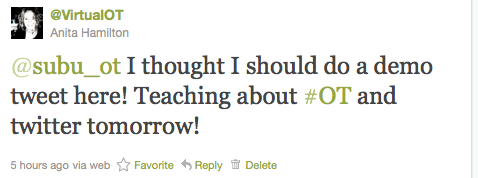
Example Tweet hashtag #OT

Tip 5. Use #tags - hashtags.  Hashtags have made a huge difference to finding information on Twitter.   These are the best way to have non-followers see your tweets and for followers to notice Tweets of shared importance.  For a current list of Twitter hashtags that are of interest to OTs, see Twitter Hashtags List.  A helpful website is WTH: What the Hashtag, an editable encyclopaedia for hashtags found on Twitter.  Experiment with hashtags as they specify your interests.  You can invent your own hashtags (e.g. we created #OT4OT which is online technology for occupational therapy).


Tweetdeck helps organize top
Tip 6.  Use technology to organize your Tweets! The basic Twitter site will show you a constant feed of information from people you follow.  However there will be people in the "Twitterspehere" posting about topics you are interested in.  You need a way to collect and organize Tweets by topic.  There are a number of Apps for phones and computers to help you organize tweets by topic.  TweetDeck, HootSuite, and TweetCaster help you organize your Twitter account for your phone, desktop computer, iPad, laptop etc.  It can be daunting to work out which App to use, I have settled with Tweetdeck and am happy with its performance.  On my Tweetdeck I leave a search column open at all times for the terms #OT, #Virtual-World-OT-Day, #OccupationalTherapy, and #OT4OT.  I also use these hashtags frequently when chatting with my OT Twitter friends. 

Linking Twitter to Facebook
Tip 7. Set-up an RSS feed—Twitter is an especially powerful networking tool when combined with a blog or Facebook account.  You can set up Twitter to direct Tweets to your Facebook wall (if you want) and you can also set up a feed from Twitter to your blog.  Using these tools you will be able to post information just once and have it available in three different online forums!  Note: Another great way to get more impact from your blog is to set up Networked Blogs in Facebook to re-post blog posts on your Facebook wall.    

@enableOT created an OT list in Twitter
Tip 8. Find people to followTo find people you can use findpeople link in Twitter.  Once you follow one person, you can look to see who follows them and then click the “follow” button to add them to the list of people you follow.  There are also directories such as wefollow.com where you can search for people by keyword.  To find other OTs on Twitter start with @enableOTs occupational therapy list and from there you will find many other lists of OTs under areas of practice or topics of interest.  

Tip 9. Be selective about who to follow back—Once you’ve been on Twitter for a while, people will begin to follow you.  Don't feel compelled to follow everyone back, they may even turn out to be a spam-bot or simply a person whose interests don't align with yours. When deciding whether or not to follow-back, look at the user’s profile and see if their profile and interests match yours, read some of their recent Tweets and see if you'd like to "converse" with them.

#FollowFriday is a great tool to find OTs in Twitter
Tip 10. Make use of #FF.  Follow Friday #FF is the hashtag to help people find new Twitter friends. On Fridays "Tweeps" recommend people they think others should be following.  Take advantage of these days, follow the people your friends recommend and then re-tweet the recommendation to let the recommended know that you are now following him or her.  Apps like FollowFridayRanking help keep track of who is being recommended!

My slideshare uploads